
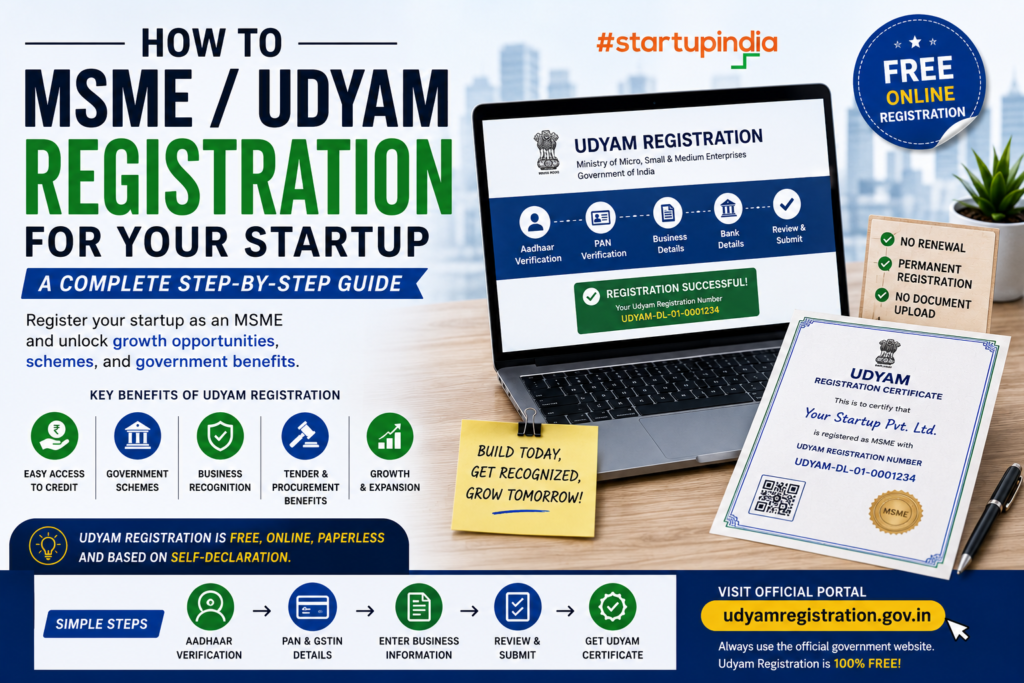
If you have started a small business or startup in India, Udyam Registration can help formally establish your business as a Micro, Small or Medium Enterprise (MSME), provided it meets the applicable MSME classification criteria.
Udyam Registration is free, online, paperless and based on self-declaration. The official government portal also states that there is no need to pay any private agency for the registration. (Udyam Registration)
Official Udyam Registration Portal
What is Udyam Registration?
Udyam Registration is the official registration system of the Ministry of Micro, Small & Medium Enterprises, Government of India.
After successful registration, an eligible enterprise receives:
- Permanent Udyam Registration Number
- Online Udyam Registration Certificate
- Dynamic QR code on the certificate
- No requirement for renewal (Udyam Registration)
A startup does not become an MSME simply because it calls itself a startup. It must meet the applicable MSME classification criteria.
1. Check Whether Your Startup Qualifies
From 1 April 2025, the MSME classification limits are:
| Category | Investment in Plant & Machinery/Equipment | Annual Turnover |
|---|---|---|
| Micro | Up to ₹2.5 crore | Up to ₹10 crore |
| Small | Up to ₹25 crore | Up to ₹100 crore |
| Medium | Up to ₹125 crore | Up to ₹500 crore |
These limits are based on the current official Udyam criteria. (Udyam Registration)
For many early-stage startups, especially small service businesses, the Micro Enterprise category may be relevant if the applicable investment and turnover limits are satisfied.
2. Understand MSME vs Startup Recognition
These are two different registrations.
Udyam Registration
Identifies your eligible business as an MSME.
DPIIT Startup Recognition
Recognises an eligible business under the Startup India framework.
A business may potentially qualify for both, if it meets the respective requirements.
So:
Company Registration → Udyam Registration → DPIIT Recognition
can be part of a startup’s formalisation journey, but each has different eligibility rules.
3. Keep Your Aadhaar Ready
Aadhaar is required for Udyam Registration.
The Aadhaar holder depends on the business structure:
- Proprietorship: Proprietor
- Partnership: Managing partner
- HUF: Karta
- Company/LLP/eligible organisations: Organisation/authorised signatory, along with the applicable PAN and GSTIN requirements (Udyam Registration)
4. Keep PAN and GST Details Ready
The Udyam system is integrated with government databases for PAN and GST-linked information.
For entities where GST registration is applicable, GSTIN is required according to the applicable rules. (Udyam Registration)
The portal uses government data for investment and turnover information, so make sure your business records are accurate.
5. Visit the Official Udyam Portal
Go only to the official government website:
The government specifically warns businesses about fake websites and states that Udyam Registration is free of cost. (Udyam Registration)
6. Select New Registration
For a business that has not previously registered under Udyam, select:
“For New Entrepreneurs who are not Registered yet as MSME”
The official registration form begins with Aadhaar Verification, followed by PAN verification and business details. (Udyam Registration)
7. Complete Aadhaar Verification
Enter:
- Aadhaar number
- Name as per Aadhaar
Then complete the OTP verification process.
The official portal states that Aadhaar is required for Udyam Registration. (Udyam Registration)
8. Complete PAN Verification
After Aadhaar verification, complete PAN verification.
The system uses PAN-linked information to help determine relevant business details.
Make sure the name and entity information are consistent with your official business records.
9. Enter Your Business Details
The registration form asks for information about your enterprise.
This can include:
- Name of enterprise
- Organisation type
- PAN
- GSTIN, where applicable
- Date of incorporation
- Date of commencement of business
- Official address
- Contact details
- Bank details
- Major activity
- National Industry Classification (NIC) code
- Plant/unit details (Udyam Registration)
10. Select the Correct Business Activity
You will need to identify your major business activity.
Depending on your startup, this could relate to:
- Manufacturing
- Services
- Trading
- Technology
- Consulting
- Digital services
- Education
- Professional services
- Other eligible activities
You can specify multiple activities under one Udyam Registration where applicable. The official portal states that an enterprise should not file more than one Udyam Registration, while multiple activities can be included in one registration. (Udyam Registration)
11. Select the Appropriate NIC Code
The National Industry Classification (NIC) code identifies your business activity.
Choose the code that best represents what your startup actually does.
For example, a technology or digital-service startup should select the relevant service/activity code rather than choosing a random code simply to complete the application.
12. Provide Investment and Turnover Information
Your MSME classification is based on:
Investment + Turnover
The current limits are:
Micro: ₹2.5 crore investment / ₹10 crore turnover
Small: ₹25 crore investment / ₹100 crore turnover
Medium: ₹125 crore investment / ₹500 crore turnover (Udyam Registration)
The Udyam system uses linked government data for investment and turnover where available. (Udyam Registration)
13. Submit the Registration
Review all information carefully.
Check:
- Aadhaar details
- PAN
- GSTIN, if applicable
- Company/business name
- Address
- Bank details
- Business activity
- NIC code
- Investment
- Turnover
- Contact information
Then complete the required declaration and submit the application.
14. Receive Your Udyam Registration Number
After successful registration, your enterprise receives a permanent Udyam Registration Number.
An online Udyam Registration Certificate is also issued. The certificate contains a dynamic QR code that can be used to access the enterprise’s registration information. (Udyam Registration)
15. There Is No Renewal
One useful feature of Udyam Registration is that the registration is permanent.
The official portal states that there is no need for renewal. (Udyam Registration)
However, you should keep your business information and government records accurate and updated when required.
Benefits of Udyam Registration
Udyam registration can help eligible MSMEs access various government-supported opportunities and MSME-related benefits, depending on the applicable scheme and eligibility.
Potential areas include:
- MSME schemes
- Priority-sector lending
- Government procurement opportunities
- Business formalisation
- Credit-related opportunities
- MSME support programs
- Delayed-payment mechanisms
- Access to government MSME ecosystem initiatives
The specific benefit depends on the relevant scheme and eligibility. Udyam Registration itself does not automatically guarantee every MSME benefit.
Udyam Registration for Startups: Simple Example
Suppose you launch a digital marketing startup.
Business
Digital Marketing Agency
Structure
Private Limited Company
Investment
₹8 lakh
Annual Turnover
₹20 lakh
If the business meets the applicable criteria, it would fall within the Micro Enterprise limits.
The business could then apply for Udyam Registration using the official portal.
Documents Required
One of the biggest advantages is that Udyam Registration is largely paperless.
The official portal states that entrepreneurs do not need to upload documents, certificates or proof for registration. (Udyam Registration)
You should nevertheless have your information ready, including:
- Aadhaar
- PAN
- GSTIN, where applicable
- Business incorporation/registration information
- Bank details
- Business address
- Investment information
- Turnover information
- NIC/business activity details
Common Mistakes to Avoid
❌ Using unofficial websites
❌ Paying someone for a government registration fee
❌ Entering incorrect PAN/Aadhaar information
❌ Selecting an unrelated NIC code
❌ Creating multiple Udyam registrations for the same enterprise
❌ Providing inaccurate investment or turnover information
❌ Assuming Udyam Registration is the same as DPIIT Startup Recognition
❌ Assuming registration automatically provides every MSME benefit
The official government portal clearly states that Udyam Registration is free and warns against unauthorised private portals and agencies. (Udyam Registration)
Udyam Registration Roadmap
Startup/Business Idea
↓
Choose Legal Structure
↓
Check MSME Eligibility
↓
Keep Aadhaar + PAN + GST Details Ready
↓
Visit Official Udyam Portal
↓
Aadhaar Verification
↓
PAN Verification
↓
Enter Business Details
↓
Select Activity & NIC Code
↓
Enter Required Financial Details
↓
Submit Declaration
↓
Get Udyam Registration Number
↓
Download Udyam Certificate
Quick Checklist
☐ Check MSME eligibility
☐ Aadhaar ready
☐ PAN ready
☐ GSTIN ready, if applicable
☐ Business details ready
☐ Bank details ready
☐ Correct NIC code selected
☐ Investment details available
☐ Turnover details available
☐ Register through official portal
☐ Download Udyam Certificate
Final Thought
Udyam Registration can be an important formalisation step for an eligible startup or small business in India.
But remember:
Udyam Registration → Formalisation
DPIIT Recognition → Startup ecosystem recognition
Customers → Revenue
Execution → Growth
Registration creates the foundation. Building a sustainable business is what comes next.
Government rules and eligibility can change, so verify the latest requirements on the official Udyam portal before applying. (Udyam Registration)